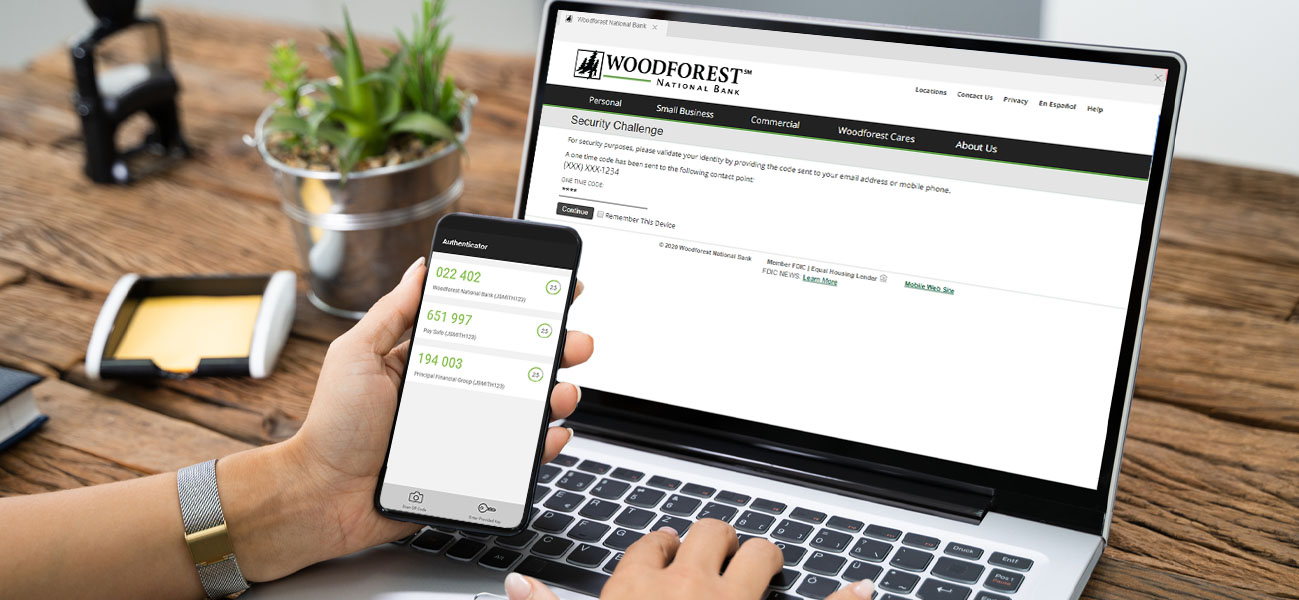
Woodforest Online & Mobile Banking(1) offers you additional security options and tools to better protect your online sessions. Helping to safeguard your Online & Mobile Banking(1) and personal data continues to be our top priority.
Multi-Factor Authentication
Make it harder for thieves to access your account with multi-factor authentication, an extra level of security that uses a one-time code, your fingerprint, or facial features as proof of your identity. Set up multi-factor authentication through SMS Text Authentication, an Authenticator App, or Biometrics today.
Learn more about how to keep your online sessions secure at the Woodforest Security Center.
To sync your account to a third-party app while multi-factor authentication is enabled, you may need to use a Limited Access Password.
SMS Text Authentication
 |
SMS Text Authentication allows you to set up your mobile phone number to receive one-time codes when logging into Online & Mobile Banking(1) or performing certain transactions. Setup: Online & Mobile Banking(1) |
How to Set Up Through Online Banking
- Log in to Online Banking.
- Click on the Security tab and select Manage Text Message Authentication.
- Follow the instructions on the page to complete the process.
 |
View the demo instructions for enabling Text Message Authentication on Desktop. |
How to Set Up Through Mobile Banking(1)
- Log in to Mobile Banking(1).
- Select Main Menu, then Password & Security, and
then SMS Text Authentication. - Follow the instructions on the page to complete the process.
|
View the demo instructions for enabling and disabling SMS Text Authentication through Mobile Banking. |
Authenticator Apps
 |
An authenticator app is a security application for your mobile device that continually generates a unique, random code. Instead of receiving codes, you will need to navigate to the authenticator app to see the current code to provide. Setup: Online Banking |
How to Set Up Through Online Banking
- Log in to Online Banking.
- Click on the Security tab and select Manage Mobile Authenticator.
- Follow the instructions on the page to complete the process.
|
View the demo instructions for set up of a Mobile Authenticator on Desktop |
Biometric Authentication
 |
Use your fingerprint or facial features to more quickly access your accounts in the Woodforest Mobile Banking App(1). Setup: Mobile Banking(1) |
How to Set Up Through Mobile Banking(1)
- Log in to Mobile Banking.
- You will either be prompted to enable Biometrics on log in or will need to navigate to the Biometrics feature. To navigate to the feature, select the Main Menu, then Password & Security, and then Biometrics. Biometric options for iPhone® may include Touch ID® or Face ID® and for Android™ they may include Fingerprint.
- Follow the instructions on the page to complete the process.
- Once enabled, log in with just a fingerprint(2) or look(3).
|
View the demo instructions for enabling Biometrics |
Limited Access Passwords
Limited Access Passwords minimize the risk of connecting your account to third-party apps by giving them view-only access. This protects your account from any unwanted transactions or personal information breaches if the third-party apps are ever compromised.
Benefits of Limited Access Passwords
Gives you control
- Change your main password and multi-factor authentication settings without affecting access to third-party apps.
- Give each third-party app a unique password that you can manage from your Online Banking portal.
Limited access for third-party apps
- View-only access to balance and transaction information.
- Cannot change your account settings.
- Cannot initiate transactions on your behalf.
- Cannot access your main password.
To create a Limited Access Password for each financial application you wish to tie to your Woodforest Online Banking account:
|
1
Log in to Online Banking |
2
Security |
3
Manage |
4
Name Password |
5
Generate |
6
Displays |
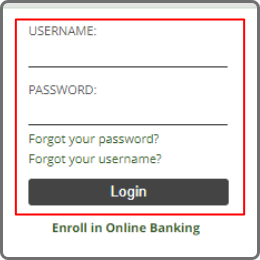
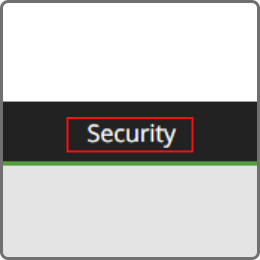
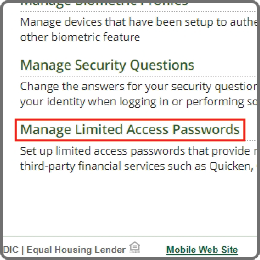
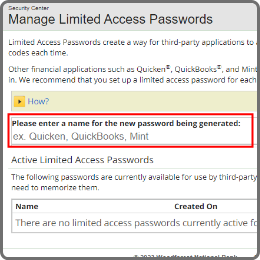
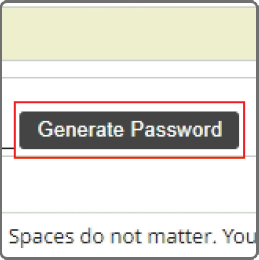
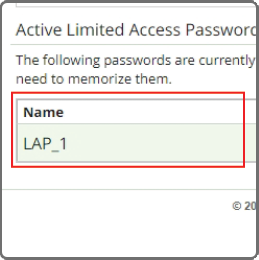
After generating the Limited Access Password, please refer to the documentation or help source for each application on where to enter the password, as the process is different for each.
To learn more about third-party financial apps visit our Financial Tools page.
Multi-Factor Authentication FAQs


Additional Personal Banking Benefits
Mobile Deposit
Debit Card Management
P2P Payments
(1) Data rates may apply. See carrier for details.
(2) Certain devices are eligible to enable fingerprint login.
(3) Only select Apple devices are eligible for Face ID including iPhone X and up.
Android, Chrome, Google Pay, Google Play, and the Google Logo are trademarks of Google LLC.
Apple, the Apple logo, Apple Pay, Apple Watch, Face ID, iPad, iPhone, iTunes, Mac, Safari, and Touch ID are trademarks of Apple Inc., registered in the U.S. and other countries. iPad Pro is a trademark of Apple Inc.

DISCLOSURE
DISCLOSURE
(1) Data rates may apply. See carrier for details.
DISCLOSURE
DISCLOSURE
(2) Certain devices are eligible to enable fingerprint login.
DISCLOSURE
DISCLOSURE
(3) Only select Apple devices are eligible for Face ID including iPhone X and up.