
Woodforest Online Banking and Mobile Banking App*
With Woodforest Online Banking and the Mobile Banking App, you can check balances, view transactions, make payments, and more. Download the Woodforest Mobile Banking App today and access your accounts anytime, anywhere.
| Enroll in Online Services | Get the Woodforest Mobile Banking App |
Telephone Banking
Access 24-hour account information by calling our Telephone Banking System (toll-free) at 1 (866) 226-5724.
For the latest information regarding branch hours, please visit our Locations page.
Routing and account numbers can also be found in Woodforest Online Banking and our Mobile Banking App.
Woodforest Online Banking
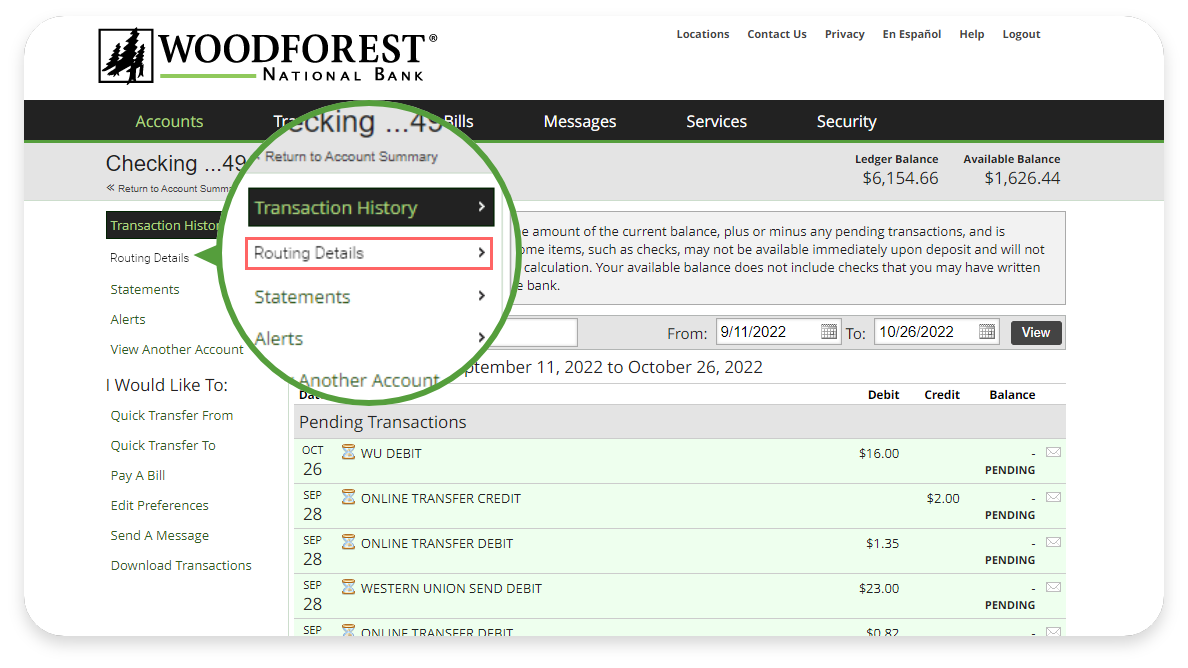
To find your full account and routing number, simply log in to Woodforest Online Banking. Select the account you need the details for, and then follow these instructions:
Step 1: Select the Routing Details on the left hand side menu.
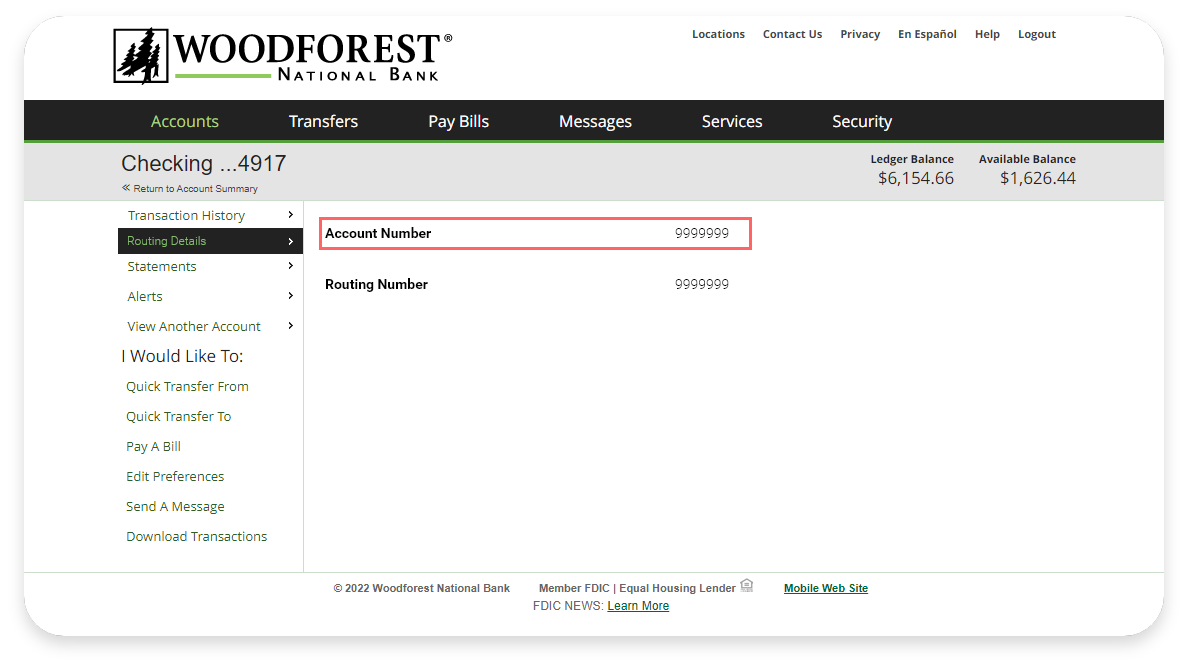
Step 2: You'll be able to view your account and routing number details.
Woodforest Mobile Banking App
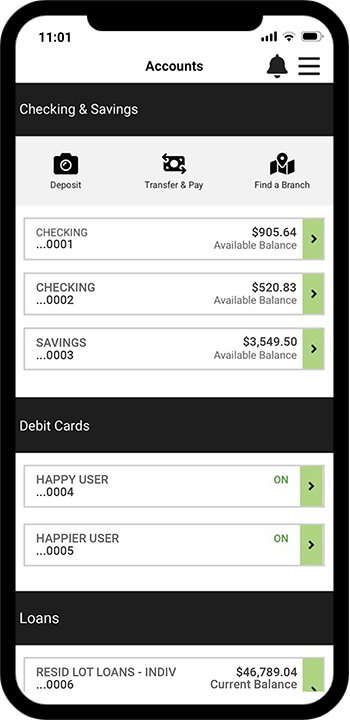
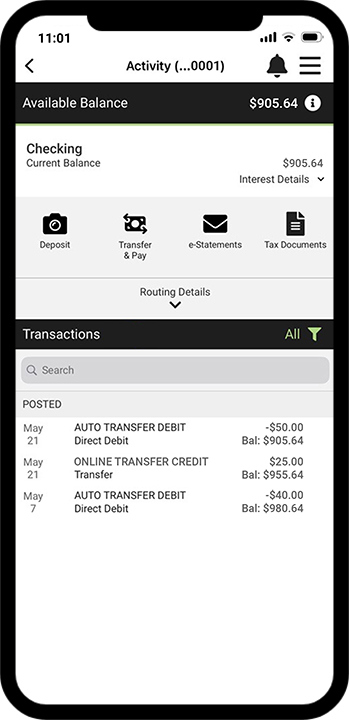
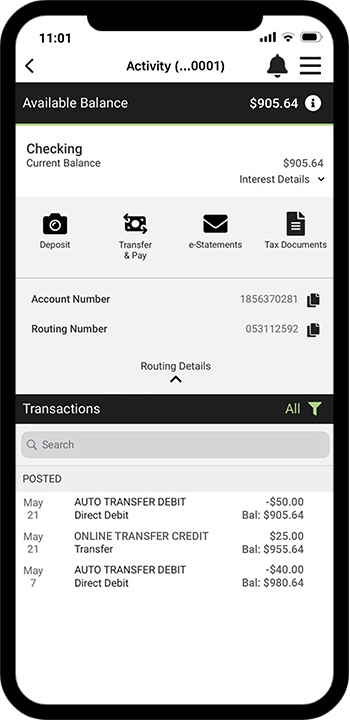
To find your full account and routing numbers, simply login to your Woodforest Mobile Banking App, and then follow these instructions:
|
Step 1: Select your Checking or Savings Account
|
Step 2: Select "Routing Details" to reveal your information.
|
Step 3: You'll be able to view your account and routing number details.
|
|
Checks
|
Account Statement
|

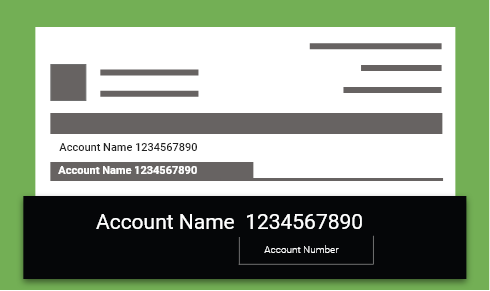
If you're still having difficulty in locating your routing or account number, please contact us or visit one of our convenient branches.
Personal Loans
For individuals, Woodforest offers loan options including home improvement loans and ReLi - Revolving Lines of Credit which can help provide financial relief and flexibility during challenging times.
 |
For our customers impacted by the recent Texas storms, you may be eligible for a 90-day extension on payments directed towards existing Woodforest National Bank loans. For more information please contact Small Business and Consumer Collections at 877-320-4813. |
Business Loans
We also offer lending solutions for business owners that are recovering from the storms including our Business ReLi - Revolving Line of Credit to help you get back to what’s most important - running your business.

|
NeighborWorks America
United States Postal Service
U.S. Department of Housing and Urban Development |
Ready.gov
DisasterAssistance.gov
|


Additional Ways We Care
*Data rates may apply. See carrier for details.

DISCLOSURE
DISCLOSURE
*Data rates may apply. See carrier for details.