

Online Banking Features
Woodforest Online Banking and Mobile Banking App* provide convenient and secure access to your Woodforest accounts from home, work, or wherever an internet connection is available.*

View current and past statements, check current transactions, view check images, and more.

Move money to/from your eligible Woodforest accounts. You can create one-time transfers, recurring transfers, and future transfers.

Receive alerts by email, SMS, or push notification. Set your own criteria for balance alerts, transaction alerts, debit card alerts, and more.

Receive your statements electronically by enrolling in eStatements.

Personalize your account names. Re-order checks. Order a Woodforest Debit Card. Manage eStatements. Plus more!

Download your account transactions in a few easy clicks.

Provide your email at account opening to automatically receive a daily statement of transaction activity, account balances, and more.

Security features to help protect your online sessions such as Second Factor Authentication and Limited Access Passwords.
Learn More
 |
How to Set Up a Mobile Authenticator in Online Banking |
|
How to Enable Text Message Authentication in Online Banking |

Set up e-bills for recognized payees, payment reminders, and automatic recurring payments.
|
How to Add a Payee in Online Banking |
|
How to Pay a Bill in Online Banking |
Account(s) opened at a branch today are accessible online by tomorrow. Account(s) opened online are accessible for Online Banking immediately.
Please note, if you are a Small Business customer and would like to enroll your business in Online Banking, please contact us toll-free at 1-877-968-7962 for assistance.


Banking Privacy and Security

Public WiFi can leave you exposed.
Many public WiFi hot spots lack any kind of security making it easier for scammers to listen in on your activity.
Passwords are your first line of defense.
Using a complex and random password is the easiest way to protect your information, which makes it harder for thieves to guess.
Be aware of Phishing Techniques.
Phishing is when scammers call or send an email pretending to be a reputable company to trick you into giving them personal information.
Banking On The Go
Bank anytime, anywhere with our Mobile Banking App.*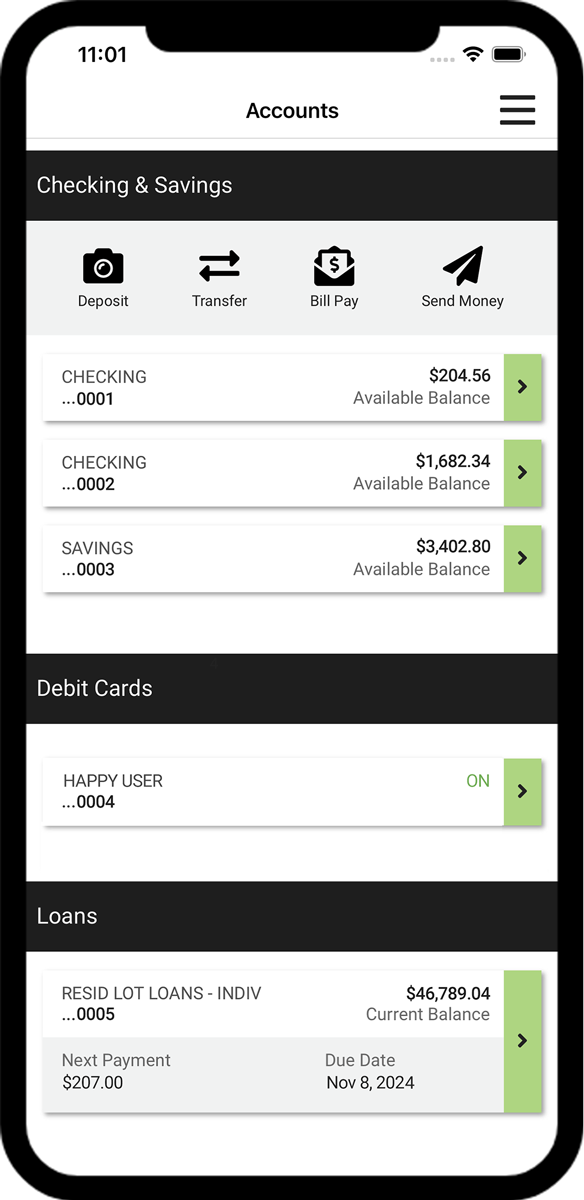
Manage Your Accounts
View balances, transactions, eStatements, set up account alerts, and more!
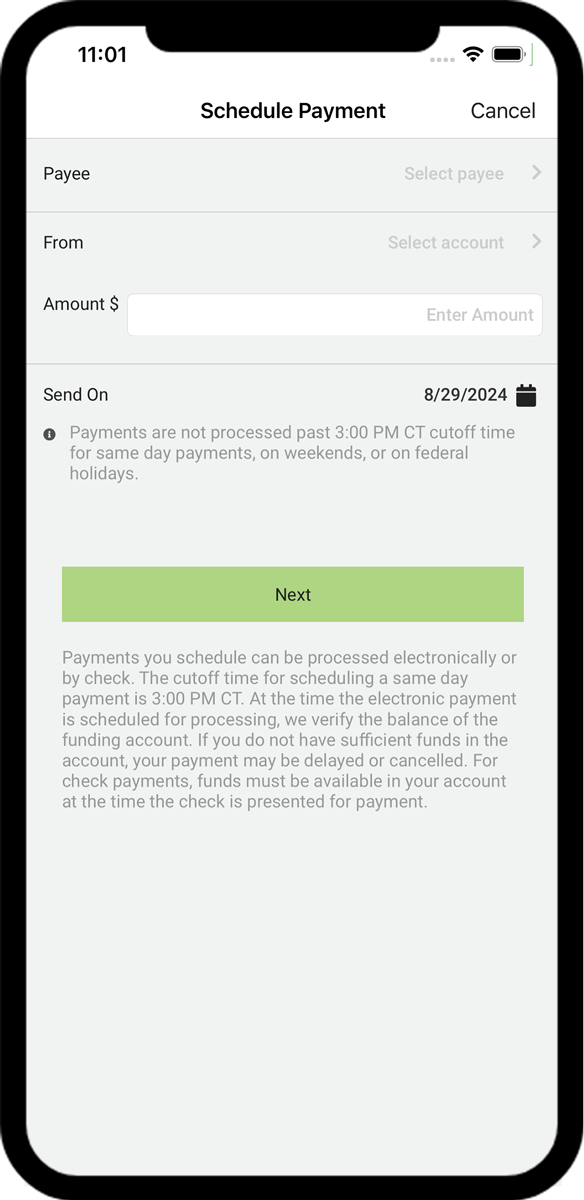
Pay Your Bills
Pay your bills, view payment history, and more.
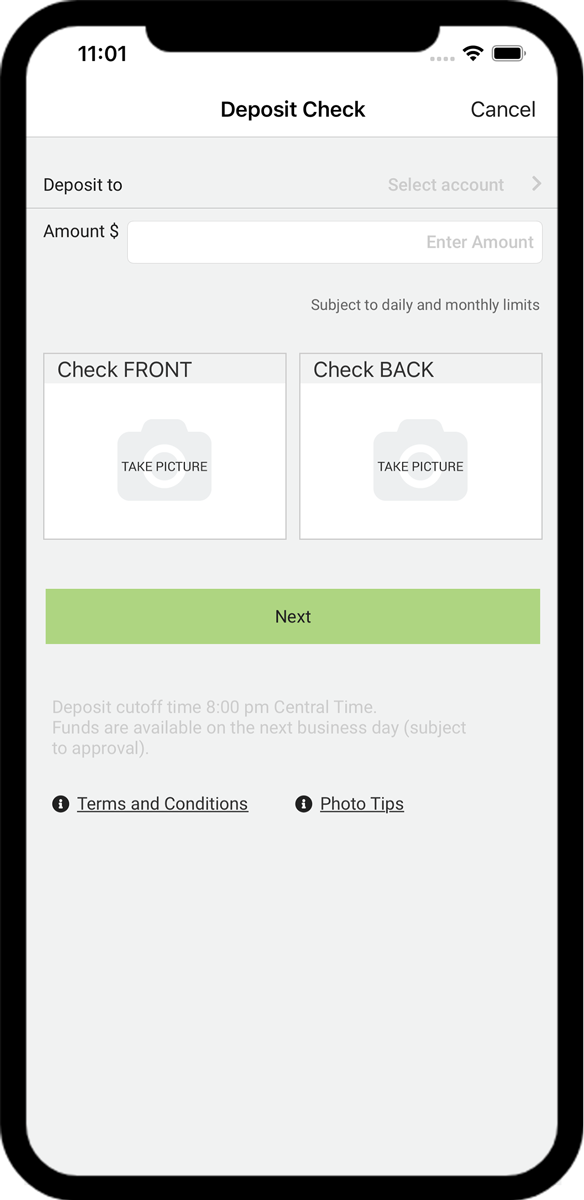
Mobile Deposit
Deposit checks at your convenience using your mobile phone! It's as easy as taking a photo!
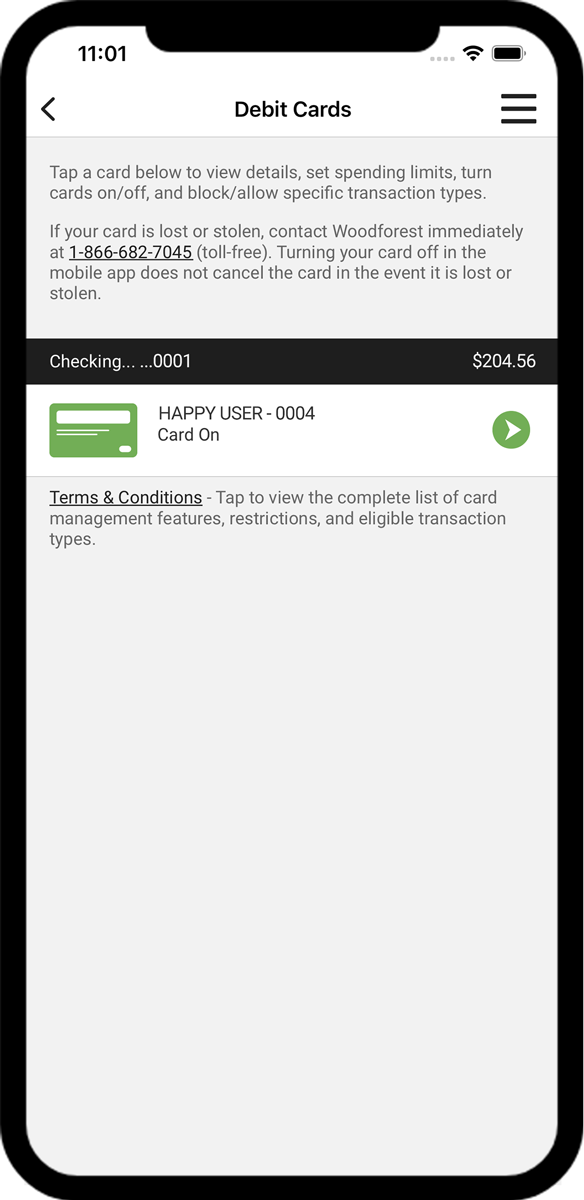
Debit Card Management
Control when, where, and how your Woodforest Debit Card is being used.
Ready to start banking on the go? Download the Woodforest Mobile Banking App today!*


You must be enrolled in Woodforest Online Banking to access your account on our Mobile Banking App.*
Data rates may apply. See carrier for details.

Making deposits from your phone is a snap with our Mobile Banking App.*
|

Make a transfer between eligible accounts and schedule payments or view payment history.

Send and Receive Money Transfers directly to/from eligible Woodforest accounts.
|
App at a Glance |

Use the Mobile Banking App* to send money to anyone with a U.S. bank account -- no matter where they bank.(1)
Go Paperless with eStatements!
Enjoy the convenience and security of receiving your bank statement online with eStatements, one of the many benefits of Woodforest Online Services! Enrolling in Online Services and signing up for eStatements is quick and easy. When your eStatement is available, you will receive an email notification sent to the email address you designate. Simply log in to Online Services to view or download your eStatement(s) from the account(s) you select.
- Eliminate cumbersome paper statements received in the mail, which means you no longer need to file or shred paper statements.
- Be confident that your electronic statements are safe and secure, increasing protection against identity theft and eliminating them from being taken from your mailbox or delivered to the wrong address.
- Have the convenience of viewing your statements days before you would receive them in the mail. Plus you can view them from your computer or a mobile device anytime, anywhere you have internet access.
- Save valuable resources by reducing the amount of paper required to produce paper statements.
To enroll, log into Woodforest Online Services, go to the Service Center, and select Manage eStatements.
Frequently Asked Questions
You have two enrollment options available:
- If you are a new customer, a welcome email is automatically sent to you if you provide an email address upon account opening. The welcome email contains an enrollment token to expedite the enrollment process. You may also request an enrollment token by calling us.
- You may enroll without an enrollment token anytime by entering additional information during the enrollment process such as an account number or debit card number, along with mother's maiden name and date of birth.
Click Enroll from www.woodforest.com. You will be taken to the Enrollment page where you will be prompted to enter required information depending on the enrollment option selected.
Click here for detailed Enrollment Instructions.
|
How to Enroll in Online Banking |
If you wish to enroll your business in Online Banking please contact us at 1-877-968-7962 for assistance.
Your User ID is what identifies you in our system. You will choose your own unique User ID during the enrollment process.
If you are a new customer, you must wait until the day after you have opened your eligible account(s) to enroll in Online Services. Once you successfully complete the enrollment process you can then access your accounts online. Note: Only eligible accounts will display online. Contact your branch if you have any questions.
You can use Quicken or QuickBooks with Woodforest Online Services to budget, plan and track your finances. You can easily download/import your transactions to these software applications. Please note: Express Web Connect is not available at this time. You must use Online Services to make transfers or payments.
Log into Online Services. Click Service Center and then select Change Password. Enter your current username and password followed by your new password. Re-enter your new password for confirmation. Click Change Password to submit your change.
Log into Online Services. Click Service Center, and then select Change Username. For security reasons you will be prompted to answer one of your security questions. Click Let's Get Started; enter the answer to your security questions and click Continue. Enter your new Username. Re-enter your new Username for confirmation. Click Change Username to submit your change.
Log into Online Services. Click Service Center and then select Manage Security Answers. For security reasons you will be prompted to answer one of your security questions. Click Let's Get Started; enter the answer to your security questions and then click Continue. Select your new security questions and enter your new answers. Note, you must change all four security questions and answers. You cannot answer the same question multiple times. Click Continue. Your security questions have been changed.
From the online services login screen, click the Forgot Your Password? link and follow the steps to reset your password. You must answer one of your security questions that you selected during enrollment.
|
How to Reset Password in Online Banking |
Many bills have varying payment amounts and due dates, such as utility bills. For these payments, schedule a one-time (manual) payment. Some payments such as mortgages and auto loans have fixed payment amounts, due dates, and frequencies. For these types of payments, create a repeating (automatic or recurring) payment schedule (rule) and we will process the payment at the selected frequency for the indicated amount with no further action needed by you.
Yes, if you delete a Payee, your automatic payment rule and all scheduled future payments to that Payee will be canceled.
Since Bill Payments are set up and directed by you to the Payee, some restrictions apply when disputing a payment. Payees require that they are contacted first. Keep a log of each contact with the Payee. The date, time and who you spoke to are required for certain types of disputes. You may stop a payment on a Bill Payment check that has not cleared your account by visiting your local branch, contacting us, or making a request through Online Banking. Stop Payments are detailed in our Terms and Conditions along with any fees that may apply.
Bill payments are only processed Monday through Friday, excluding weekends and Federal holidays.
Yes, any scheduled payments not yet processed and any future payments in a recurring series will be sent to the updated Payee address.
Payments can be scheduled the same day, up until approximately 3 PM (CT). At that time, we begin processing pending payments and the earliest "Send on" date for any new payments is the following business day. You can also view the status of processed payments on the History tab to determine if the payment has failed.
You will be sent an email if a payment is not processed due to insufficient funds, incorrect Payee data, or similar reasons. You can also view the status of processed payments on the History tab to determine if the payment has failed.
Please refer to the Alert Preferences page, under the More tab, to view a list of all alerts, including automatic alerts (displayed in gray) and alerts you may configure.
A virtual card payment is a payment made with a single-use credit card number issued to a Payee.
A virtual card payment may be used to remit funds to Payees initiated by Woodforest's Bill Pay processor.
Like many other forms of electronic payments, virtual cards can create a faster, more secure method of sending payments to Payees due to their one-time use characteristics.
Your experience for paying bills will remain the same. The only thing that changes is how the funds are remitted to the Payee.
| Bill Pay 2.0's New Look (PDF) |
|



Additional Personal Banking Benefits
Mobile Deposit
Debit Card Management
IDnotify®
*Data rates may apply. See carrier for details. The mobile.woodforest.com website is available on mobile phones with a full internet browser. Your phone will display the website in either a rich or text version depending on the operating system and version currently installed on your device. The "Log In" option will appear on the main menu of supported devices capable of logging into online banking. If you have any questions about our mobile banking website, iPhone®, or AndroidTM applications, please contact us at 1-877-968-7962, email us at mobilesupport@woodforest.com, or visit your local branch. Additional limitations, restrictions and fees may apply for these services. You may speak to one of our Retail Bankers for more details.
(1) User and Recipient must reside within the U.S. Additional limitations and restrictions may apply for this feature. Please see a Retail Banker for complete details.

DISCLOSURE
DISCLOSURE
(1) User and Recipient must reside within the U.S. Additional limitations and restrictions may apply for this feature. Please see a Retail Banker for complete details.
DISCLOSURE
DISCLOSURE
*Data rates may apply. See carrier for details. The mobile.woodforest.com website is available on mobile phones with a full internet browser. Your phone will display the website in either a rich or text version depending on the operating system and version currently installed on your device. The "Log In" option will appear on the main menu of supported devices capable of logging into online banking. If you have any questions about our mobile banking website, iPhone®, or AndroidTM applications, please contact us at 1-877-968-7962, email us at mobilesupport@woodforest.com, or visit your local branch. Additional limitations, restrictions and fees may apply for these services. You may speak to one of our Retail Bankers for more details.